Queue up your screenshots, paste them with one Ctrl+V.
And it has a cat.
Sending ten images to ChatGPT, WhatsApp or a document? Stop flipping between windows. Catail keeps your screenshots, copied text and files in a queue, then drops them all in the same order.
Catail is a Windows app. Open this page on your computer to install it.
 Queue
Each one, just as it is in the app.
Pick a tab and sit back. They play by themselves.
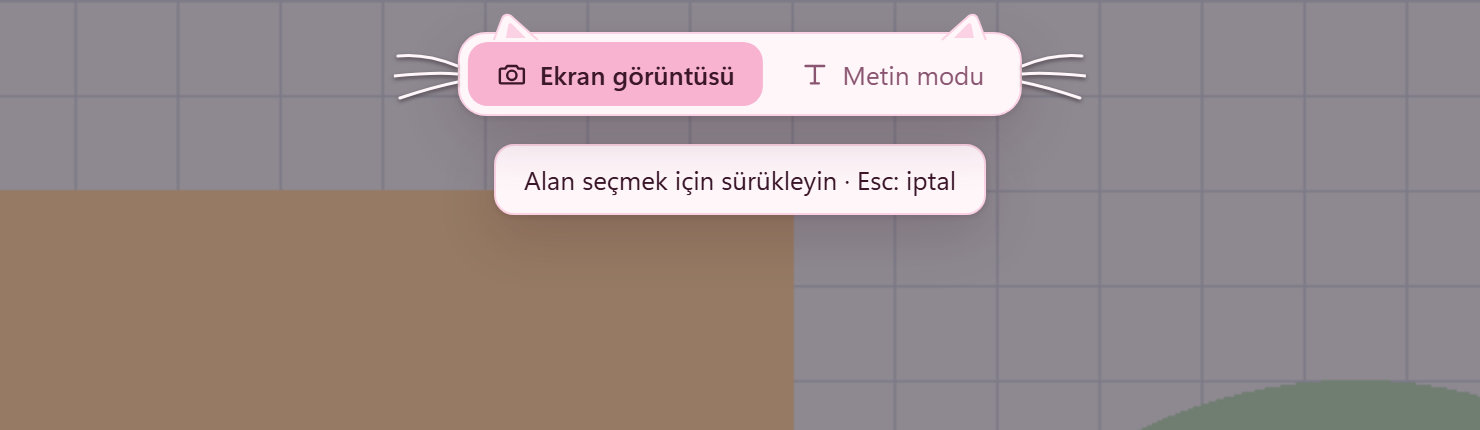
Capture, draw on it
Pick an area and add arrows, boxes, pen strokes, text or blur. Drawings go into the image at full resolution.
Read QR codes
When the capture screen opens, codes on screen are read on your computer. The domain is shown in bold, so a fake address stands out.
Ten seconds to change your mind
Pasted into the wrong place? The cat waits in its box. Press Undo and the queue comes back as it was; when time runs out, it tears the box apart.
Fits the app you paste into
It pastes everything at once or one at a time. Apps that don't like many images at once can get a rule of their own.
Text mode
While it's on, every Ctrl+C joins the queue. Anything a password manager copies is left out.
Grab the text in an image
With Windows' own OCR engine, offline, in the languages Windows knows. Edit the text, copy it or add it to the queue.
PDF, Word, whatever
Drag a file onto the badge, or right-click it in Explorer and choose Add to queue. When you paste, the file itself goes.
ZIP or PDF
Save the queue as it is: images as PNG, text as TXT, all numbered in order. Or make each item a page.
Your shortcuts
Change any of them. It can even take over Win+Shift+S.
Speaks 16 languages
It opens in your Windows language. Change it in the settings if you like.
A cat sits on the badge.
It gets chubbier as the queue grows. Leave it alone a while and it dozes off; awake, it follows your pointer with its head.
- Shows how many items are in the queue
- Click it and the queue opens
- Drop a file on it to queue it
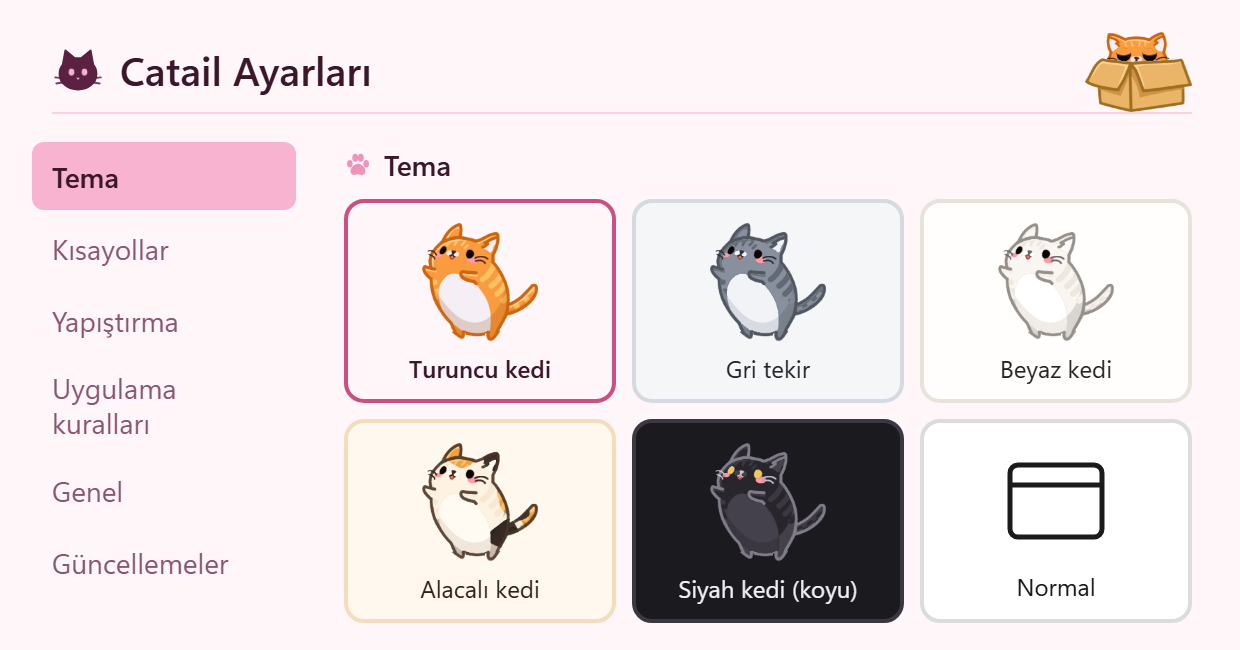
Pick your cat.
The app's colors, its paw cursors and the cat waiting in the box all follow the one you pick. The black cat is the dark theme. Rather have no cat? There's a plain theme too. This page follows your cat as well, try it.
Picking a cat comes with the next release. For now the app has the orange cat.
Your data stays with you.
No telemetry, no account. The queue stays on your computer. Only two things go online: the check for a new version, and text sent to Google Translate, only when you press Translate.
- No telemetry, no ads
- No account to sign up for
- The queue sits in your computer's temp folder and is deleted when the app closes
- Text goes to Google Translate only when you press Translate
Capture, convert, paste.
With its sister Catail Convert installed too, Catail recognizes it and offers new options:
- Convert on the toolbar after you select an area: the picture drops into Convert's cat box
- Convert in the queue panel: everything in the queue, or what you picked, opens in Convert
- Files converted in Convert join Catail-SS's queue with one click, ready for Ctrl+V
- Both apps wear the same cat and speak the same language
A look inside.
Open source, code in the open.
All of Catail's code is on GitHub. Read what it does, build it yourself, report a bug or suggest an idea. It's made with Tauri 2: a Rust core, with a React and TypeScript interface.
License: MIT. Free to use, change and share.
# Needs Node.js 20+, Rust and Windows 10/11
git clone https://github.com/Catail-Studio/catail-ss
cd catail-ss
npm install
npm run tauri dev
Take the cat home.
Free to download and use. No account, no ads.
- Windows 10 and 11, 64-bit
- Installs to your user folder, no admin rights needed
- Lives in the system tray; open its settings from there
- New versions install from inside the app
Good to know before you install.
Windows may warn you; here's why
The installer isn't code-signed yet, as we don't have a signing certificate. So Windows SmartScreen may call it an "unknown publisher". If you'd like to go ahead:
- In the window that pops up, click More info.
- Press Run anyway, which appears below.
Not comfortable with that? Read the code and build it yourself.
Questions
PrintScreen opens the Windows Snipping Tool
Windows 11 gives this key to the Snipping Tool by default. In Settings → Accessibility → Keyboard, turn off "Use the Print screen key to open screen capture", then restart Catail. If another tool that uses the key, like Lightshot, is running, the shortcuts clash. You can also change the shortcut in Catail's settings.
Does it break normal Ctrl+V?
No. Catail only takes over Ctrl+V while there's something in the queue. Once it's empty, Ctrl+C and Ctrl+V work as they always did.
Where do my screenshots go?
Nowhere. Images in the queue sit in your computer's temp folder and are deleted when the app closes. If you use translation, text is sent to Google Translate only when you press Translate.
Does it cost anything?
No. It's free to download and use, with no account. The code is open under the MIT license.
Does it run on macOS or Linux?
Windows only for now. macOS is planned for later; Linux isn't planned.
I used Stack Screen
Catail is its new name, but it installs as a separate program. Your settings move over the first time it opens. Then uninstall Stack Screen from Settings → Apps, or the shortcuts will clash.